T.J.Maxx
- 4.0
- Rating
- 1.00M
- Installs
- Free
- Price

 Analysis by App-foxy
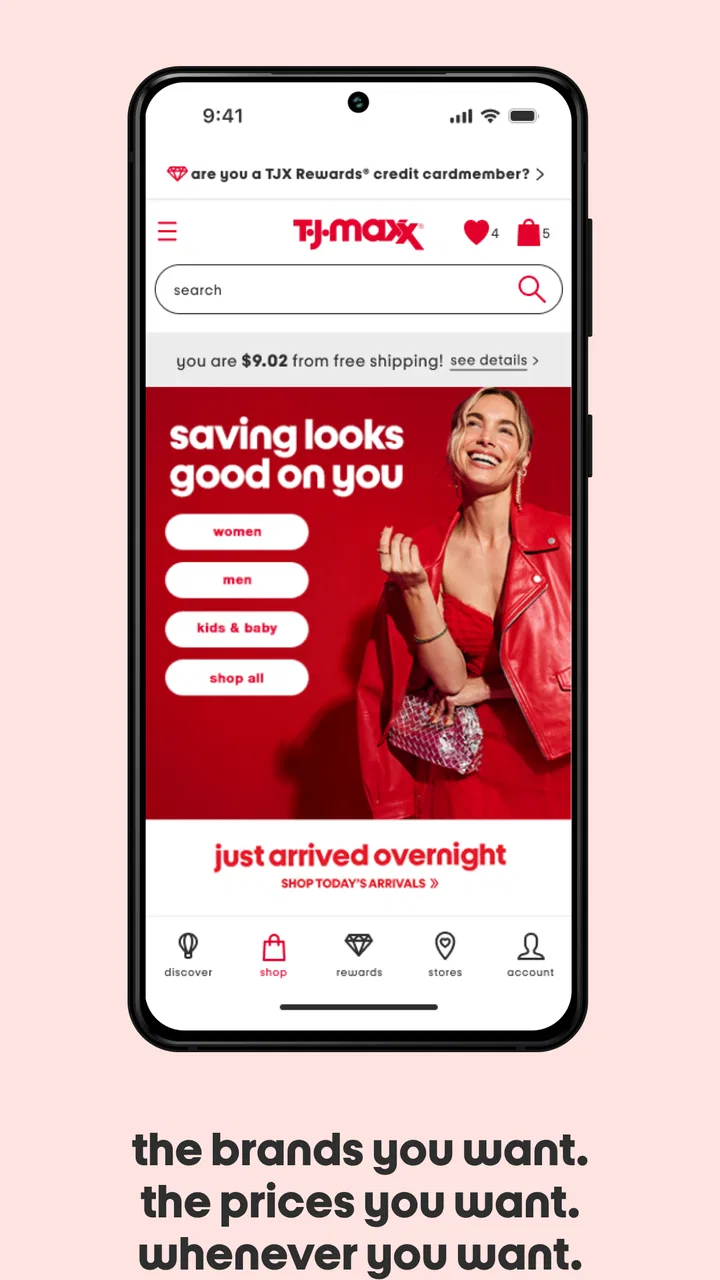
I usually think of shopping apps as useful only when they remove a little friction from a trip I was already planning to make. T.J.Maxx does that in a fairly focused way. It brings the retailer’s shopping experience, TJX Rewards tools, gift card access, and store-finding features into one place instead of making me jump between a browser, a wallet app, and a map. After using it as a companion for both planned visits and quick checks, I see it as a practical app for people who already shop at T.J.Maxx, rather than a complete replacement for browsing the store in person.
The app is free, aimed at Everyone, and comes from The TJX Companies, Inc. It has been available since May 22, 2017, and the current release is version 16.7.0 for devices running iOS or Android 10 and later. Its average rating sits at 4.0 from around 6,700 ratings, while the app has passed one million installs. Those figures suggest a well-established shopping tool with a broad audience, although they also leave room for the occasional rough edge that I noticed during normal use.
How I use T.J.Maxx before, during, and after a shopping trip
Before I leave, I use the app to settle the small decisions that can slow a visit: which store fits my route and whether I need my rewards or gift-card details. Once I’m there, I treat it as a handy reference rather than a product checklist, since the store’s changing selection is best explored in person. Afterward, I keep only the habits that made the trip easier, so the next visit takes less preparation.
You May Also Like

 Blood Strike: 2.5 Anniversary
Blood Strike’s Loadouts Turn Every Drop Into a Tactical Gamble
A close look at Blood Strike’s custom loadouts: how fast access to signature weapons reshapes its battle royale rhythm, rewards preparation, and narrows the gap between fights.

 Pandora - Music & Podcasts
Pandora’s Music Is Easy to Start, but Harder to Recover
Pandora’s strength is its low-effort path from a seed to a station. Its weak spot is how much confidence it asks you to place in connection, setup, and quiet recovery.

 8 Ball Pool
 Is Built on Rivalries, Rematches, and Routine
A close look at the rivalries, rematches, shared routines, and unanswered safety questions that turn a quick pool match into a persistent mobile community.

 Samsung Music
’s Quiet Strength Is Playing What You Already Own
Its reach comes less from spectacle than from dependable access to a personal library. That simplicity is both the app’s strongest retention engine and its ceiling.

 AccuWeather: Weather Radar
AccuWeather Review: A Quick, Clear Forecast for Everyday Decisions
For everyday plans, the best forecast is the one you can understand quickly. AccuWeather makes rain timing, radar, and local conditions easy to act on, with a few trade-offs.

 Hill Climb Racing
Why Hill Climb Racing Still Turns Crashes Into One More Run
A tiny car, a bumpy hill and one more upgrade: Hill Climb Racing keeps resurfacing because its simple chaos makes every near-miss feel personal.
More From Our News Desk



Starting with a simple store visit
My baseline workflow is straightforward. I open the app when I want to find a nearby T.J.Maxx, check store-related information, review my rewards details, or handle a gift card. The store locator is especially useful when I am away from my usual neighborhood. Rather than searching the general web and sorting through unrelated results, I can begin inside the retailer’s own app and narrow the trip to a specific location.
That sounds basic, but it changes how I plan an errand. If I am already visiting another shopping area, I can use the locator to see whether a T.J.Maxx belongs on the same route. If I am looking for a last-minute gift, I can identify a store before leaving home and keep the gift card section close at hand. I would not treat the app as a guarantee that a particular item will be waiting on a shelf, but it does make the practical part of the visit easier to organize.
The most important adjustment is to use the app for planning rather than expecting it to reproduce the full in-store experience. T.J.Maxx is built around changing merchandise and discovery. A physical visit still gives me the widest view of clothing, home goods, accessories, and seasonal items. The app is better at helping me decide where to go and what account or gift-card information I need before I arrive.
Keeping rewards and gift cards in the same routine
For regular shoppers, the TJX Rewards area is more valuable than it may first appear. I find it helpful to check the account before heading to the checkout rather than trying to remember details at the register. That small habit reduces the chance of searching through messages or paper records while other people are waiting.
Gift cards fit the same pattern. When I am buying one for somebody else, I prefer having the relevant tools in the retailer’s app instead of relying on a separate note or a screenshot. It gives the shopping trip a clear sequence: locate a store, prepare the gift card, and keep rewards information ready. The app does not make the purchase itself more exciting, but it makes the administrative parts less scattered.
One useful distinction is between convenience and control. The app helps me organize information connected with T.J.Maxx, but it does not turn an unpredictable off-price store into a conventional catalog retailer. If I need an exact color, size, model, or quantity, I would still confirm availability directly with the store or choose a retailer with dependable online inventory. That is not a flaw unique to this app; it is an important expectation to set before using it.
What a realistic everyday visit looks like
Imagine I need a small housewarming gift on the way home. I open the app, use the store locator to choose a convenient location, and check that my rewards information is ready. At the store, I browse in person because the best finds are often discovered rather than selected from a fixed digital shelf. If I decide on a gift card, I can use the app’s gift-card tools as part of the same trip. Afterward, I can return to the app for the next visit instead of rebuilding the process from scratch.
That scenario shows where the app earns its place. It is not necessarily the tool I would open to spend a long time comparing individual products. It is the tool I would keep available because it supports the repeated tasks around shopping: finding a location, preparing account details, and managing gift-card needs.
Settings and device habits worth checking
I recommend checking the app’s available settings after installation, especially anything related to account access, notifications, location use, and privacy choices. I do not enable every alert automatically. Shopping notifications can become distracting when they arrive at times that have nothing to do with my plans, so I prefer allowing only the messages that help me act.
Location access deserves a similar decision. A store locator is more convenient when the app can use the device’s location, but I do not need continuous access simply to browse the rest of the app. If the operating system offers a choice between limited and ongoing access, I would use the least permissive option that still supports the way I shop. This keeps the locator useful without making location sharing feel broader than necessary.
I also check whether the app is signed into the correct account before relying on rewards information. That is an easy step to overlook when several people share a device or when I have recently changed phones. A quick account check before leaving home is more reliable than discovering at checkout that I am viewing a different profile or need to sign in again.
Another practical setting is the device’s own notification control. Even if the app offers useful alerts, the operating system can usually separate banners, sounds, and lock-screen visibility. I prefer quiet notifications for routine shopping messages and more visible alerts only when I am actively waiting for something relevant. This is a small customization, but it makes the app feel like a tool I control rather than another source of interruptions.
Shortcuts that make repeat visits easier
Experienced use is less about finding secret functions and more about building a repeatable sequence. I keep the app easy to reach on my phone because the store locator and rewards tools are most useful when I can open them at the moment I need them. I also avoid signing out unnecessarily, while still using the device’s normal security protections. That balance saves time without treating account access casually.
Before a planned trip, I use a three-step check: choose the store, review the account area, and decide whether a gift card is part of the visit. Doing this before I get in the car prevents the common mistake of arriving at a location and then trying to solve account or gift-related details in a busy checkout line.
For an unplanned stop, I reverse the order. I first use the locator, then decide whether I need rewards or gift-card information. This keeps a quick errand quick. I do not spend time exploring every section when my only goal is to find the nearest convenient store.
There is also a useful mental shortcut: treat the app as a trip organizer, not as an inventory promise. That expectation helps me avoid wasting time searching for a specific product that may be available only in a physical location. I use the app to improve the odds that my visit is convenient, then let the store’s changing selection do what it does best.
Where it compares well with ordinary alternatives
The usual alternative is a mobile browser search. A browser can locate a store, but the experience is more fragmented. I may need one page for store information, another for account access, and a separate place to manage gift-card details. T.J.Maxx is more coherent because those retailer-specific tasks live together.
A maps app is still better when I am comparing several errands, checking traffic, or planning a route across multiple businesses. I would not replace a full navigation tool with the store locator. The retailer’s app wins when the question is specifically, “Which T.J.Maxx should I use, and what account-related information do I need for that visit?”
A general shopping marketplace is also better for exact product comparison, predictable stock, and broad price research. T.J.Maxx is a different kind of shopping experience. Its strength is supporting discovery in the retailer’s stores, not offering the depth of a large searchable marketplace. Choosing between them depends on whether I value a particular item or the possibility of finding something unexpected.
Limitations I would consider before installing
The biggest limitation is that the app cannot remove the uncertainty that comes with an off-price store. If I am shopping for a specific replacement item or need a guaranteed size, I may be better served by a retailer with detailed online inventory and dependable delivery or pickup options. T.J.Maxx’s app is not the right answer for every shopping mission.
The app also feels more useful to an existing customer than to somebody who rarely visits the chain. The store locator has obvious value for anyone nearby, but the rewards and gift-card tools become more worthwhile when they fit into a regular habit. Occasional shoppers may prefer using a browser or map for a single visit and keeping their phone free of another retail app.
Account and notification friction can matter too. Any app that combines shopping, rewards, and gift cards asks me to pay attention to sign-in status and device security. I would avoid using an unsecured phone or leaving account information exposed on a shared device. The convenience is real, but it comes with the normal responsibility of protecting shopping-related access.
Who gets the most value from it
I would recommend T.J.Maxx to regular shoppers who visit different locations, use TJX Rewards, buy gift cards, or want a single place for the practical parts of their trips. It is also a sensible choice for somebody who often combines T.J.Maxx with other errands and wants to identify a convenient store before setting out.
I would be more cautious recommending it to a person who expects a full online catalog, exact stock visibility, or a smooth substitute for browsing in person. The app supports the retailer’s shopping model; it does not fundamentally change it. If your priority is guaranteed availability, detailed product comparison, or delivery, another shopping option may suit you better.
My final view after settling into a routine
After using it as a practical companion rather than a digital department store, I find T.J.Maxx worthwhile. The strongest experience comes from combining a few simple habits: check the locator before leaving, review rewards information ahead of checkout, keep gift-card tools ready when needed, and adjust notifications and location access to match your comfort level.
The app is at its best when it reduces preparation time without pretending to replace the store. That honest division of labor makes it easier to judge. Use it for locations, rewards, gift cards, and repeatable trip planning; use the physical store for discovery and selection. If that matches how you shop, the free app is a useful addition, and its broad adoption makes sense. If you need a precise online inventory system, I would choose a different kind of shopping service instead.
Overall, I see T.J.Maxx as a focused, practical shopping app from The TJX Companies, Inc. It does not need to do everything to be useful. By keeping the retailer’s most relevant tools together and letting me build a quick routine around them, it earns a place on my phone for regular visits while remaining easy to skip when my shopping needs are more exact.
FAQs for T.J.Maxx
01What features does the T.J.Maxx app offer for shoppers?
The T.J.Maxx app provides a seamless shopping experience with features like browsing the latest arrivals, exclusive offers, and personalized recommendations. Users can also locate nearby stores, track their orders, and manage their account settings directly from the app. Additionally, there's a convenient barcode scanner to compare prices and ensure you're getting the best deals.
02Is the T.J.Maxx app available for both Android and iOS devices?
Yes, the T.J.Maxx app is available for download on both Android and iOS platforms. It is accessible via the Google Play Store for Android devices and the Apple App Store for iOS users. This ensures that a wide range of smartphone users can enjoy the convenience of shopping on the go.
03How secure is my personal information on the T.J.Maxx app?
The T.J.Maxx app prioritizes user privacy and security by implementing strong encryption measures to protect personal data. Users can shop with confidence knowing that their information is safeguarded against unauthorized access. It's always recommended to keep the app updated to benefit from the latest security enhancements.
04Can I use the T.J.Maxx app to track my online orders?
Yes, the T.J.Maxx app offers a feature to track online orders. Once you've made a purchase, you can easily monitor its status through the app. This includes real-time updates on shipping and delivery, ensuring you stay informed about when to expect your items.
05Are there any specific deals or promotions exclusive to the T.J.Maxx app?
The T.J.Maxx app often features exclusive deals and promotions for app users. These include special discounts, early access to sales, and notifications about upcoming events. It's a great way to ensure you're always getting the best prices and never missing out on limited-time offers.
Pros
- User-friendly interface for easy navigation.
- Frequent updates with fresh inventory.
- Secure checkout with multiple payment options.
- Personalized recommendations based on preferences.
- Loyalty rewards for frequent shoppers.
Cons
- Limited international shipping options.
- Occasional app crashes reported by users.
- Some items sell out quickly.
- Inconsistent product descriptions.
- Longer delivery times for rural areas.

T.J.Maxx
Gallery